What kaedim examples 2022 can tell you about a 3D workflow
Older 3D examples can spark a useful project brief, but a finished image cannot show how much editing happened behind the scenes. Use these scenarios to decide what to test, inspect, and document before relying on a model.
A polished render shows appearance, not the source material, intermediate geometry, or work needed to make an asset usable.
Not a verified 2022 archive
This page illustrates ways to assess older examples; it does not authenticate the date, origin, or production history of any individual Kaedim asset.
WorkaroundFor a historical claim, find the original dated post and identify its creator and source files.
Not a live feature test
A historical render cannot establish which Kaedim inputs, editing steps, or exports are available today.
WorkaroundCheck the current product documentation and run a small test using your own reference.
Not proof of production readiness
Neither a thumbnail nor a turntable confirms clean topology, accurate dimensions, material setup, or licensing.
WorkaroundInspect the model in its intended application and request provenance before delivery.
Three concrete workflows to try with an example
Treat each example as a starting hypothesis, then test the part of the process that matters to your team.
1
Product concept to shape study
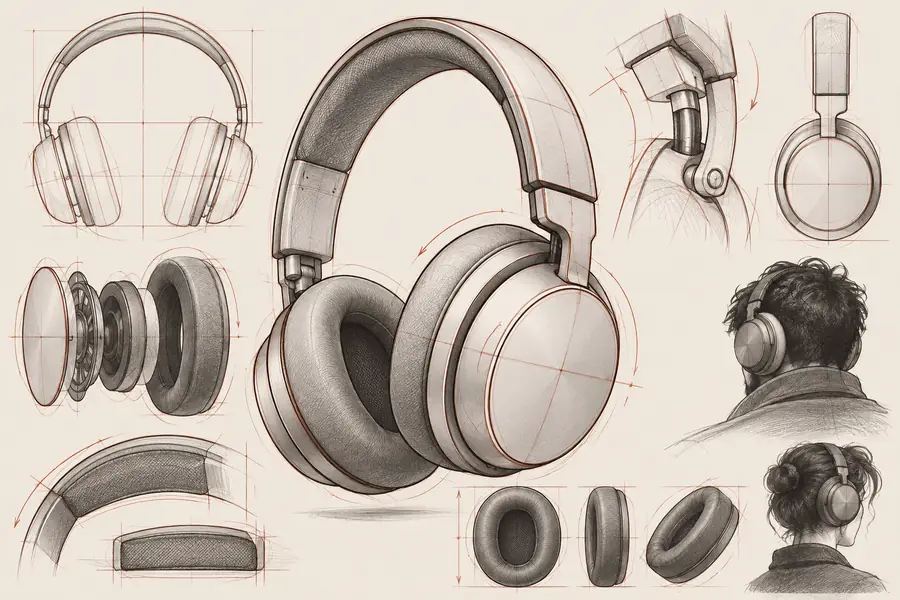
Collect front, side, and detail references for an object such as headphones. Mark the silhouette, proportions, and material boundaries you expect, then compare a 3D candidate against those marks. Keep the brief beside the result so attractive lighting does not hide a wrong shape.
2
Environment prop to scene test
Choose a bounded object, such as a lantern or speaker, rather than an entire room. Place its candidate model in a simple scene at the intended scale and camera distance. Check contact with the floor, obvious gaps, and whether the silhouette still reads from the gameplay or presentation view.
3
Illustration to handoff review
Use concept art to identify the features another artist must preserve. Ask for an editable candidate and review it with the person who will texture, rig, or revise it. Record any manual repairs; the useful output is the asset plus an honest account of the remaining work.
Example output: compare the reference with the candidate
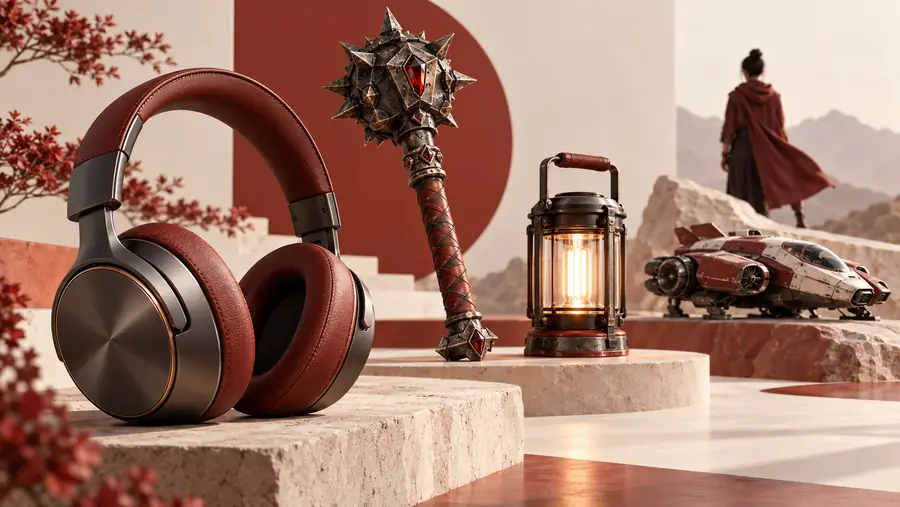
This illustrated headphone pair demonstrates a review method, not a verified Kaedim result or a documented 2022 transformation.
Concept reference
Illustrative 3D candidate
Compare the headband curve, cup proportions, and connection points first. Then request alternate views and inspect the actual geometry: this image pair alone cannot establish how the candidate was made or whether it can be edited.
Compliance notes for reusing a 3D example
Before publishing or handing off an asset, separate what the reference shows from what the candidate has actually passed.
Reference or render
Asset ready for review
1
Origin
Reference or render
May omit the artist, date, and source
Asset ready for review
Creator and source are recorded
2
Usage rights
Reference or render
Not established by visibility online
Asset ready for review
Permissions cover the intended use
3
Shape
Reference or render
One camera angle can conceal errors
Asset ready for review
Key forms pass a multi-view check
4
Geometry
Reference or render
Invisible in a flat image
Asset ready for review
Mesh is inspected in the target application
5
Scale
Reference or render
Often ambiguous without measurements
Asset ready for review
Dimensions match the project brief
6
Materials
Reference or render
Lighting can imply surface properties
Asset ready for review
Materials are checked under project lighting
7
Revision effort
Reference or render
Edits made after generation are unknown
Asset ready for review
Remaining fixes and ownership are documented
First-time 3D creator
You have a sketch and want to know what to check after seeing polished Kaedim examples.
Begin with a single object and record differences between your brief and the candidate rather than aiming to reproduce a gallery image.
Take one well-defined object, keep its source references, and evaluate the resulting candidate in the application where you plan to use it. The destination opens a separate 3D product; this page does not promise that it recreates any historical Kaedim example.
No. The comparison is illustrative and does not claim that either image came from a particular Kaedim project. To verify a historical example, trace it to a dated original source with attribution.
Look for the input reference, the resulting model from several angles, and any account of manual cleanup. A single finished render is useful for judging visual direction, but it cannot verify geometry or the amount of work involved.
No. Capabilities and workflows can change after an example is published. Check current documentation and test a representative asset before making a production decision.
Being able to view an example does not grant permission to reuse its image, design, or model. Identify the rights holder and confirm that your intended use is permitted before copying or publishing it.
A useful example includes a clear brief, source attribution, multiple views, and access to an asset that can be inspected in the target application. Notes on scale, materials, and required repairs make it easier to judge whether the workflow fits the team.